Google Cloud architecture template
Google Cloud streaming analytics
Events published to Pub/Sub, processed by a Dataflow streaming pipeline into BigQuery, with Looker dashboards on top.
Free to start. Updated .
When to use it
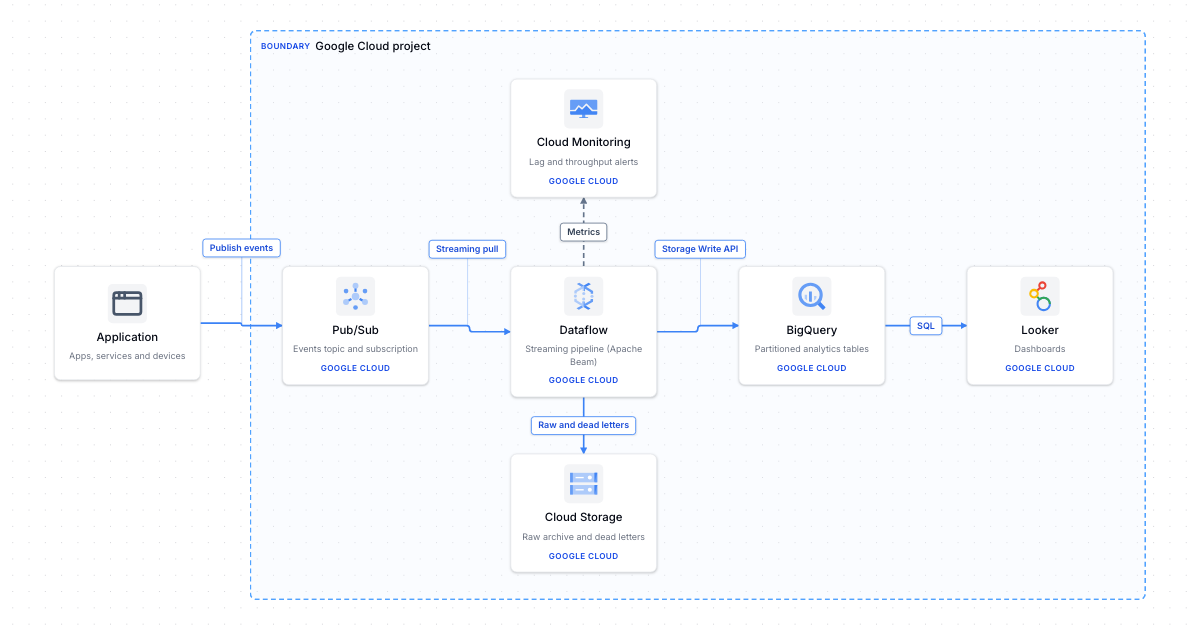
This is the common Google Cloud pipeline for clickstream, IoT or application events that should land in a warehouse within seconds. Producers publish to a Pub/Sub topic, which buffers bursts and decouples them from processing. A Dataflow streaming job, written with Apache Beam, reads the subscription, validates and enriches each event, windows and aggregates where needed, and writes to partitioned BigQuery tables with the Storage Write API. Records that fail validation go to Cloud Storage as dead letters, along with a raw archive you can replay later. Looker reads BigQuery for dashboards.
Dataflow handles autoscaling and exactly-once processing for you, but a streaming job runs and bills around the clock. If you only need raw events in BigQuery without transformation, a BigQuery subscription on Pub/Sub skips Dataflow entirely. Alert on subscription backlog and pipeline lag in Cloud Monitoring so you notice when the pipeline falls behind producers.
What's in this template
 ApplicationApps, services and devices
 Pub/SubEvents topic and subscription
 DataflowStreaming pipeline (Apache Beam)
 Cloud MonitoringLag and throughput alerts
 Cloud StorageRaw archive and dead letters
 BigQueryPartitioned analytics tables
 LookerDashboards
How it connects
- Application → Pub/Sub (data): Publish events
- Pub/Sub → Dataflow (data): Streaming pull
- Dataflow → BigQuery (data): Storage Write API
- Dataflow → Cloud Storage (data): Raw and dead letters
- Dataflow → Cloud Monitoring (dependency): Metrics
- BigQuery → Looker (data): SQL
More Google Cloud templates
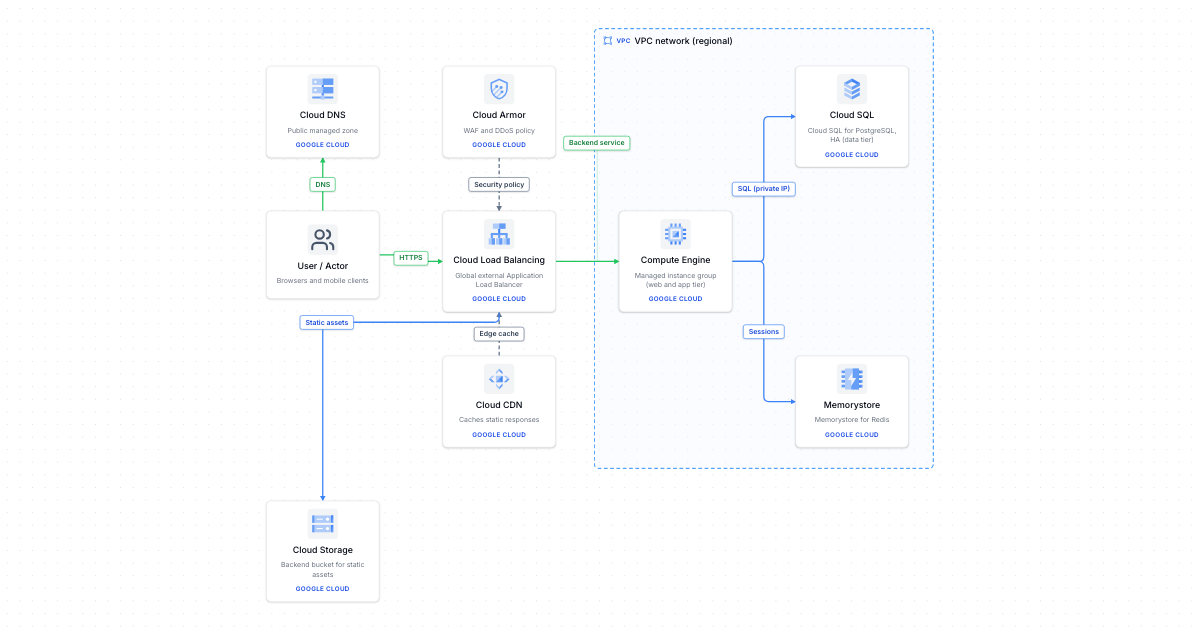
Google Cloud 3-tier web app
Global Application Load Balancer with Cloud Armor and Cloud CDN, Compute Engine instance groups, Cloud SQL and Memorystore.
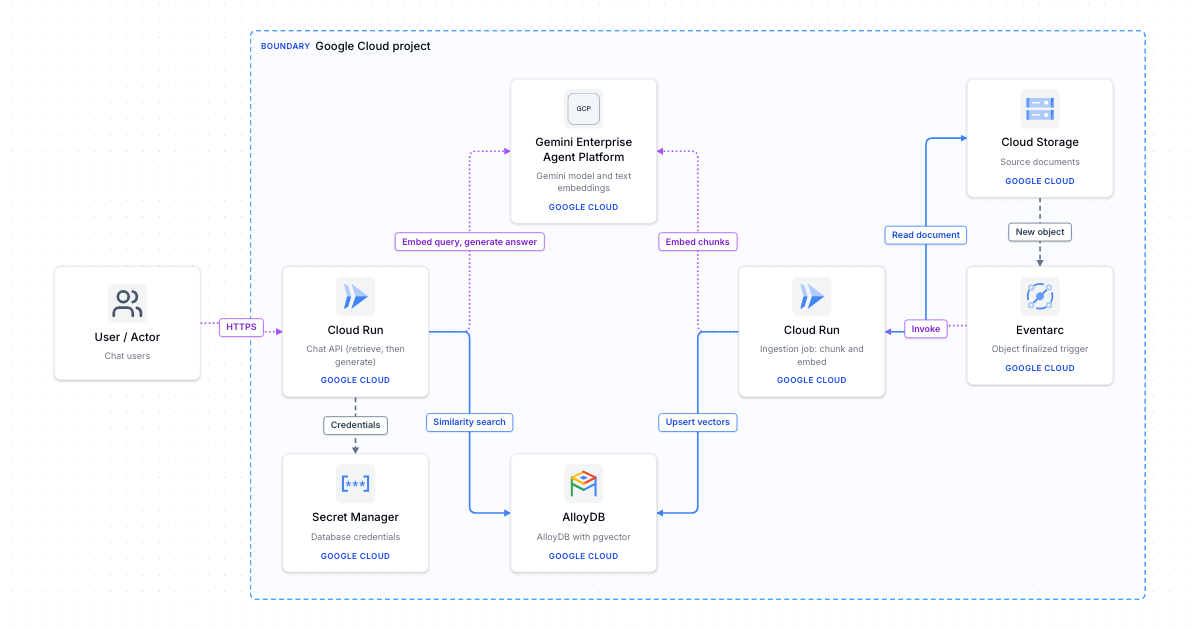
RAG chat app on Google Cloud
Retrieval-augmented generation on Google Cloud: Cloud Run chat API, Gemini models and embeddings, AlloyDB pgvector search.
Make it your own
Open a copy in the editor, then rename, rearrange and extend it.