Azure architecture template
Azure landing zone (starter)
Starter platform landing zone: management-group scope with identity, hub networking, secrets and centralised logging.
Free to start. Updated .
When to use it
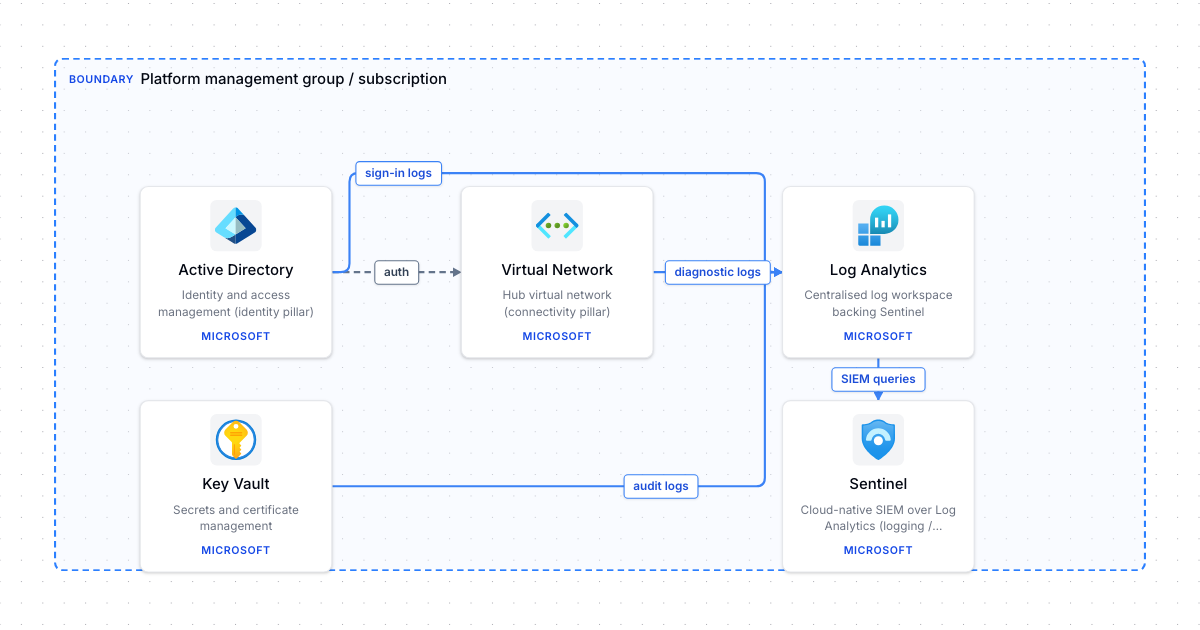
Start here when you are setting up an Azure estate for more than one workload and want the platform pieces agreed before application teams arrive. The diagram shows the four pillars that every Cloud Adoption Framework landing zone needs: identity in Entra ID, a hub virtual network for shared connectivity, Key Vault for platform secrets and certificates, and a central Log Analytics workspace that every subscription sends diagnostics to, with Sentinel on top for security monitoring.
It is deliberately a starter. A production landing zone adds management groups for platform and workloads, Azure Policy assignments, a firewall in the hub and peered spoke networks. Drawing the minimal version first helps you agree ownership: who runs identity, who owns the hub, and who reads the logs. Add the hub-spoke template next when you are ready to design the network in detail.
What's in this template
 Active DirectoryIdentity and access management (identity pillar)
 Virtual NetworkHub virtual network (connectivity pillar)
 Key VaultSecrets and certificate management
 Log AnalyticsCentralised log workspace backing Sentinel
 SentinelCloud-native SIEM over Log Analytics (logging / monitoring pillar)
How it connects
- Active Directory → Virtual Network (dependency): auth
- Virtual Network → Log Analytics (data): diagnostic logs
- Key Vault → Log Analytics (data): audit logs
- Active Directory → Log Analytics (data): sign-in logs
- Log Analytics → Sentinel (data): SIEM queries
More Azure templates
Azure 3-tier web app
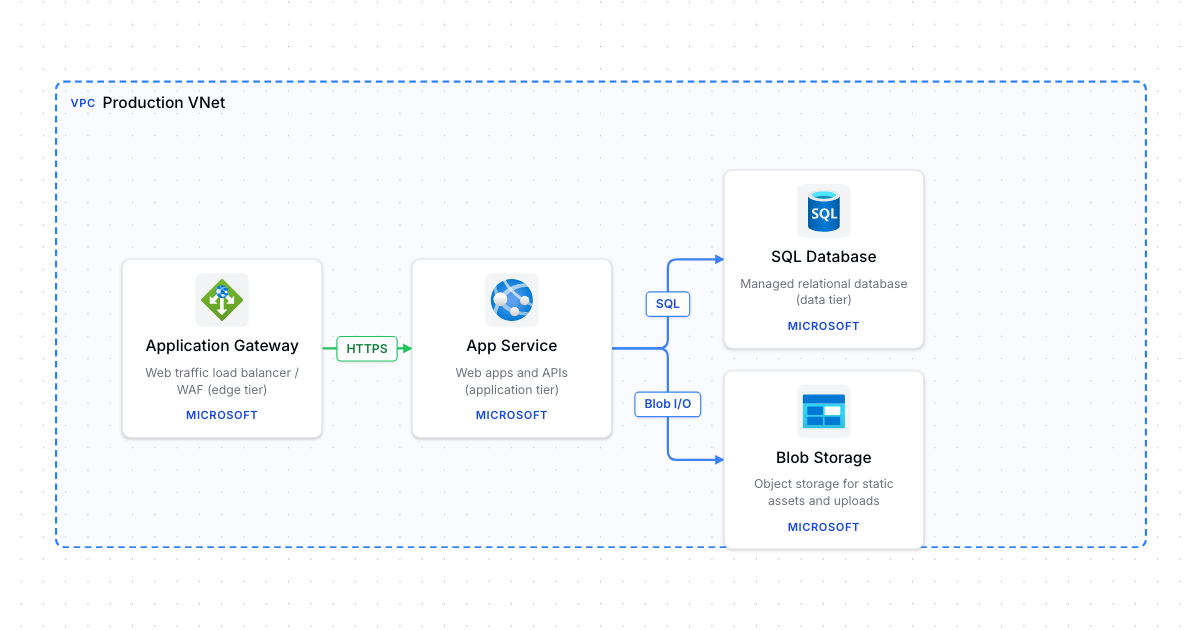
Edge -> application -> data tier inside a VNet: Application Gateway, App Service, SQL Database and Blob Storage.
Azure hub-spoke network
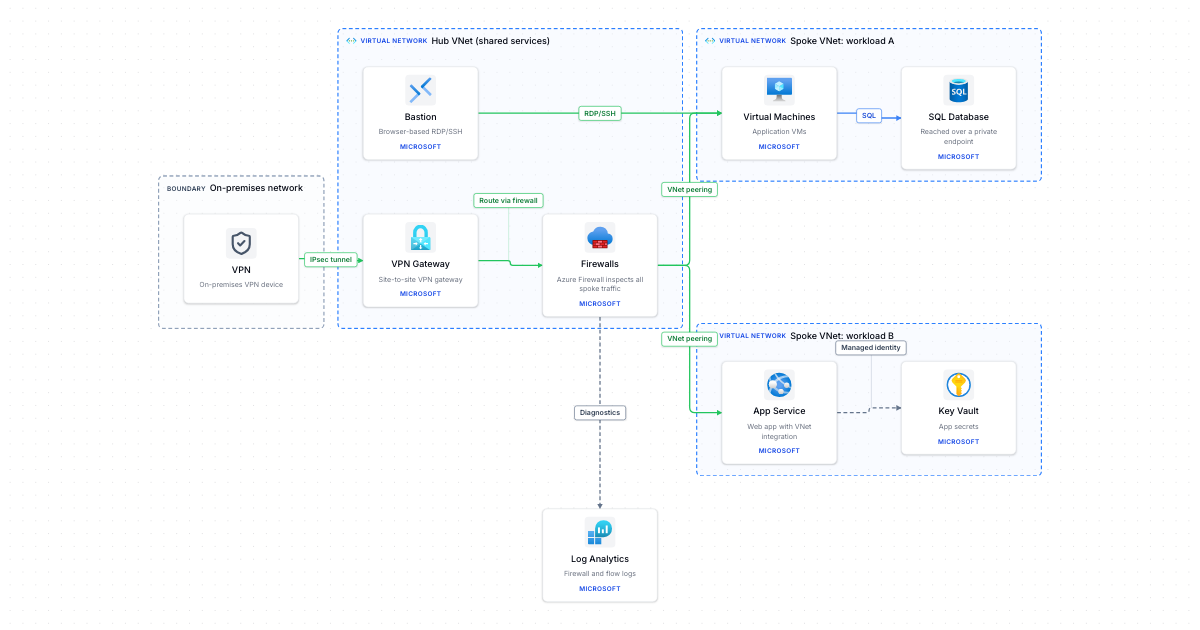
Hub VNet with VPN Gateway, Azure Firewall and Bastion, peered to two workload spokes, with on-premises connectivity.
Azure AKS baseline cluster
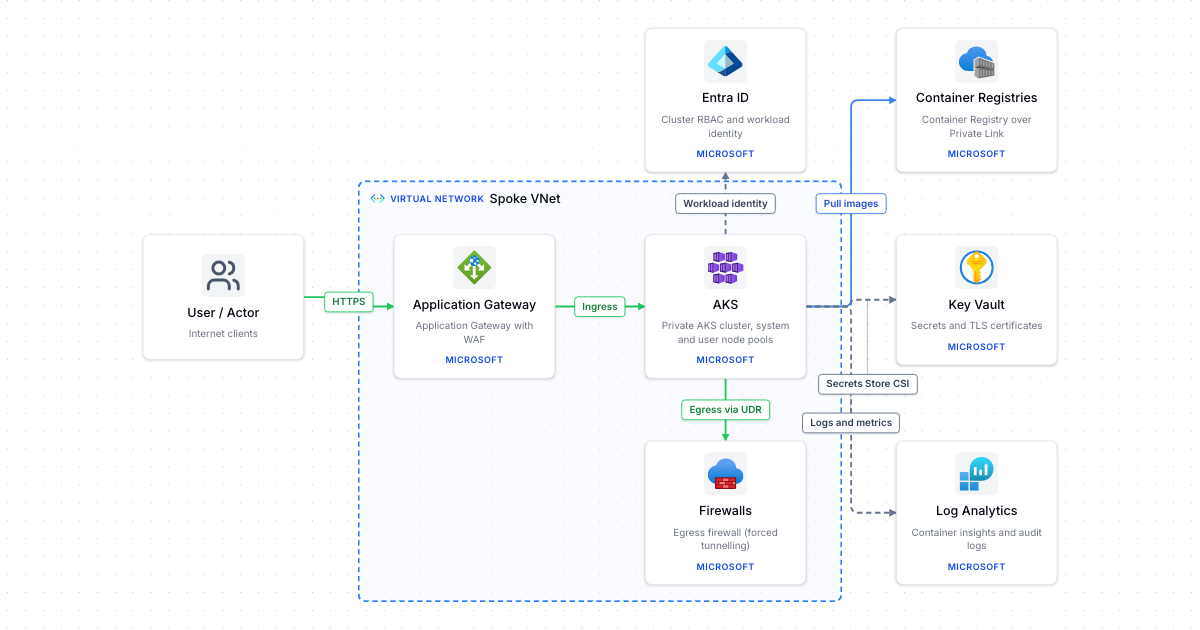
Private AKS cluster behind Application Gateway WAF, with egress through Azure Firewall, Container Registry and Key Vault.
Make it your own
Open a copy in the editor, then rename, rearrange and extend it.